Phishing: When your Computer Tricks You
by Hanz Makmur - Oct 2013.
There has been a spike in spoofing and phishing emails sent on the Internet lately. Despite Computer Science's spam and virus filters, which blocked over 80% of email daily, these malicious emails occasionally still slip through. Phishing is a very dangerous cyber threat that uses social engineering to lure people to give out sensitive personal information. Users need to get familiar and educate themselves; especially users who have other email accounts obtained from ISPs or free services.
Phishing is the act of attempting to acquire information such as usernames, passwords, and credit card details (and sometimes, indirectly, money) by masquerading as a trustworthy entity in an electronic communication. Communications purporting to be from popular social web sites, auction sites, banks, online payment processors or IT administrators are commonly used to lure unsuspecting public. --
WikiPedia
The phishing problem is worse for those using free mail systems; such as ones from ISPs like Verizon, Comcast, Optimum Online; or free email services, like Hotmail, Yahoo, and Gmail. The ISP email servers are often the source of the problem as home users fall victim and become a vehicle to distribute more malware. The public email servers are a victim in their own nature. Anyone is free to create an email account and no verification is required to get them. They are often created quickly to send malware email and then abandoned.
It is important to know that these phishing emails have only 1 target in mind: Theft!
This includes identity theft as well as stealing financial information, passwords and other sensitive information.
Common Tricks
Listed below are some common tricks used by phishing and spoofing emails that email users should be on the lookout for.
Official Looking Format and Familiar Style Phishing emails will often look official or semi-official. This is meant to make you think that the message has come from your bank, a company you know, and/or people you know and trust. They often come from compromised accounts masked to look like a company or person you trust.
Generic
Always be aware of generic emails lacking details. Improperly signed emails are often phishing emails. Examples include emails from help desks, system administrators, and financial statements without your proper account information.
Asking for your Credentials
The classic way of phishing is very direct. It tricks you into giving up your username and password. It could ask you to login to an official looking website, to verify your password, or to click on a suspicious link. A good example would be an email from your financial institution warning about a purchase you did not make, package delivery, free money, account closing, or even about a tax return.
Playing with Your Curiosity
Another trick often tests your curiosity. Current news are often used to lure users to infected websites or click on an attachment. Fake Facebook notification emails are good examples of this type of email. Example articles include breaking news, tabloids, or even a “voicemail” which comes with an attachment. The point of the email is to take you to an infected website or open a malicious attachment. This type of email are exploiting weakness in widely used software like web browsers (especially through Java and Flash), Acrobat Reader, and Microsoft Office. Visiting a compromised website or clicking on the attachment could get your computer infected.
Playing with Your Good Nature
Some phishing target your good nature. They are meant to gather sympathy from the user by pretending to be a close relative or friend in order to gain access to secure information. Examples:
Email from a friend or family member who is stranded and lost in some foreign country may move you to send money to help.
An email or text message from a family member asking for PIN number or password may wipe your bank account.
A Nigerian Prince who conveniently found your name in his father's will and wants to send you the appropriate large amount of money. They will ask for bank information and a small amount of money to pay the bureaucratic fee to send the money. (Because obviously the Prince of Nigeria has no money or access to his own government)
Avoiding Phishing
The key to avoiding Phishing is to be aware about the tricks and to be alert when you get such suspicious email. If you don't anticipate such emails, be alert before you take action. Here are a few suggestions:
- Never click on a link given to you via an email unless you know for sure where it takes you. Instead of clicking on a link to chase.com, simply go to your browser and retype "chase.com"
- Trust but Verify! Email is not a secure form of communication. It can be sent by anyone impersonating anyone. A skeptical nature is your best defense- never trust blindly. Call the person on a phone or talk to them in person when you suspect something is suspicious.
- No one should ever ask you to verify sensitive information via
email. No Administrator, SysAdmin or Help Desk will need to know your password. If there are any problems with your account(s), they will likely contact you individually to ask you for more details or simply suspend your account pending individual verification.
- Use your computer properly. Using a computer as an Administrator is a bad idea. If you can install a software without any security precautions, so can a virus.
- Update your Computer software Microsoft users should always run Windows Update to remain up to date on security patches. There are hundreds of newly discovered vulnerabilities on computer software everyday and it only takes one to ruin your day.
- Phishing is not limited to the Internet. Before computer was used, criminals were using telephone calls claiming to be from businesses or people you know. They will try to convince you to reveal your sensitive personal information. Just because it is more common on the computer does not mean it won't happen on the telephone.
Here is a video that reflect Phishings during the holidays. University IT Security and Policy, University of Rochester presents:
Below are some sample of phishing email that were sent on the Internet. You should try familiarize yourself with some of these tricks so you have some idea what they look like. You can also see it in a slideshow mode or click individual link below.
1. IT Helpdesk email 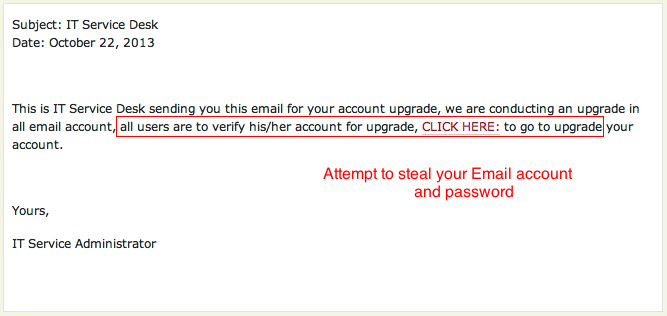
1. IT Helpdesk email
2 . IT Helpdesk email 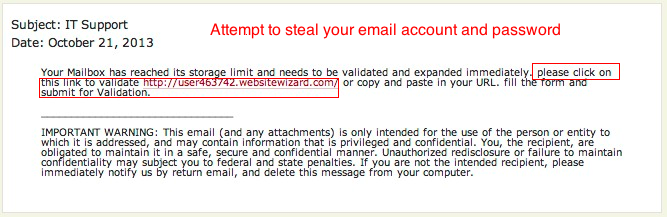
2. IT Helpdesk email
3. Payroll Notice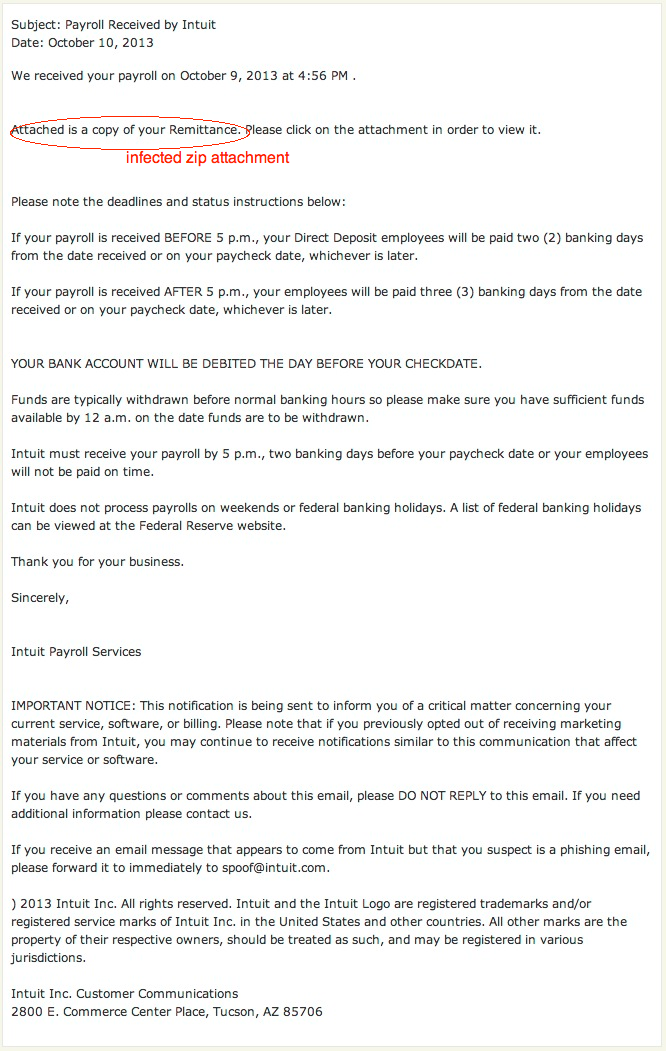 3. Payroll Notice
4. ACH Notice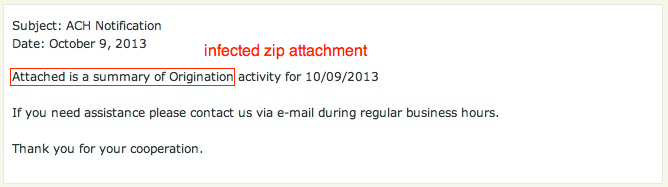 4. ACH Notice
5. Annual Renewal notice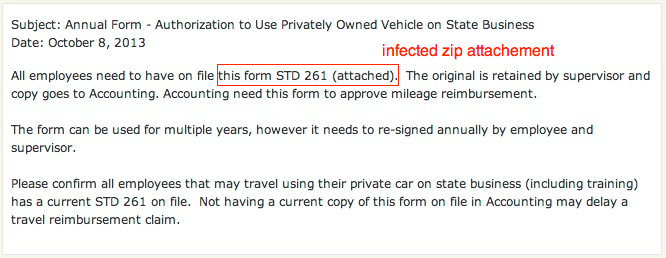 5. Annual Renewal notice
6. STAMPS.COM Notice 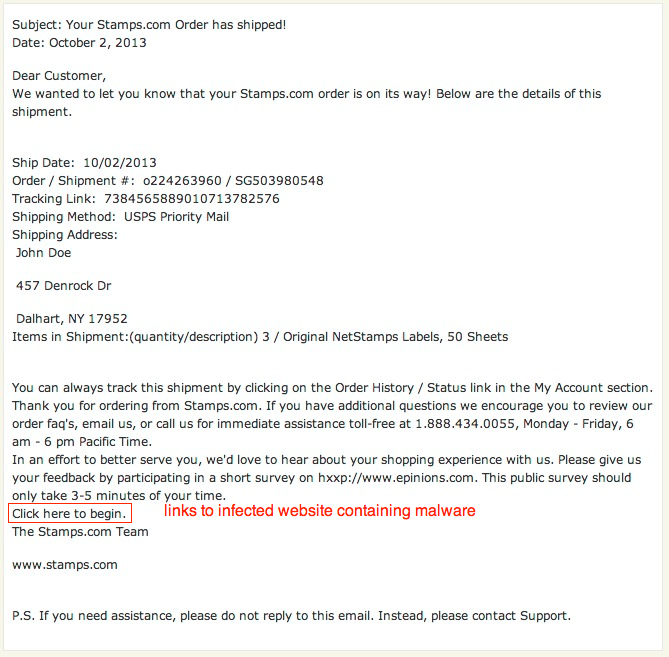 6. STAMPS.COM Notice
7. Pending Message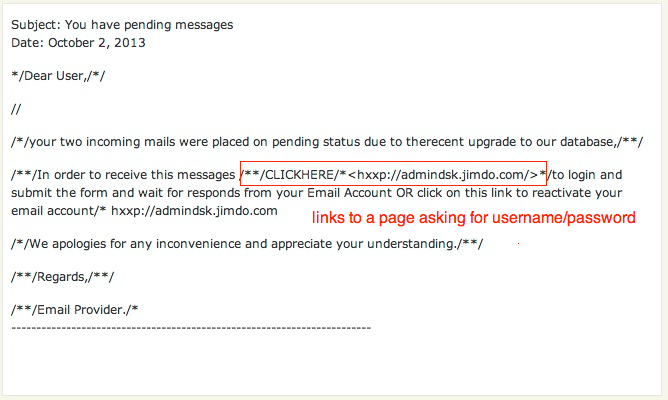 7. Pending Message
8. IT Helpdesk email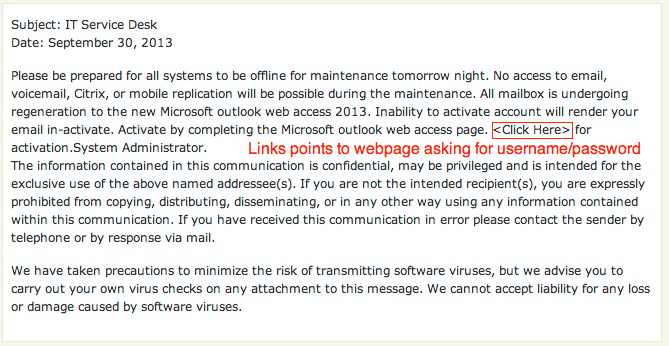 8. IT Helpdesk email
9. Bank notice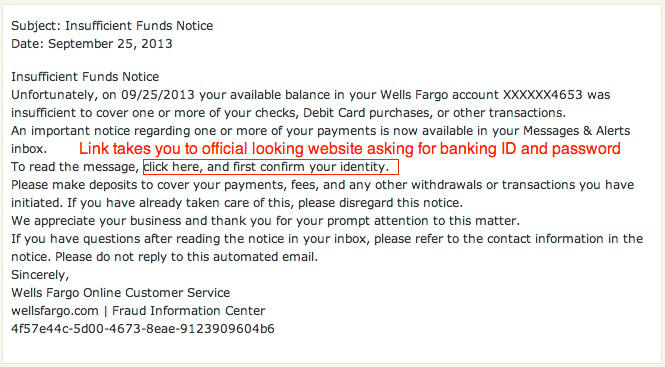 9. Bank notice
10. Bank Statement 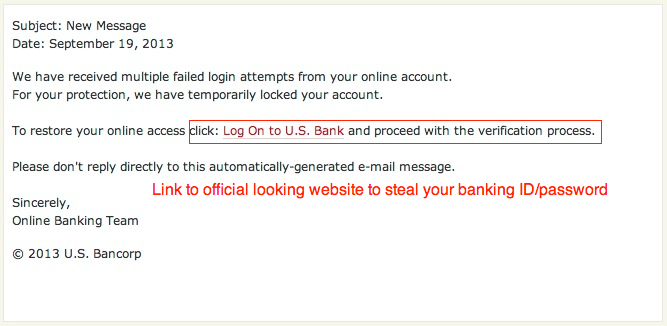 10. Bank Statement
11. Blackboard notice 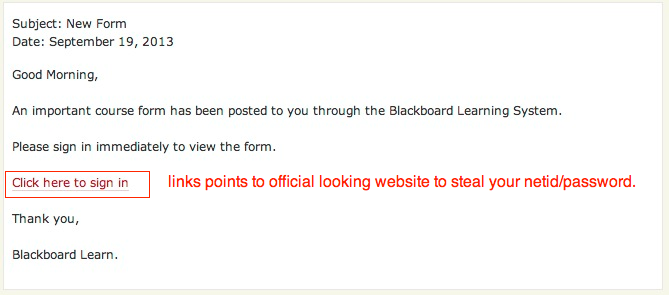 11. Blackboard notice
12. AT Notice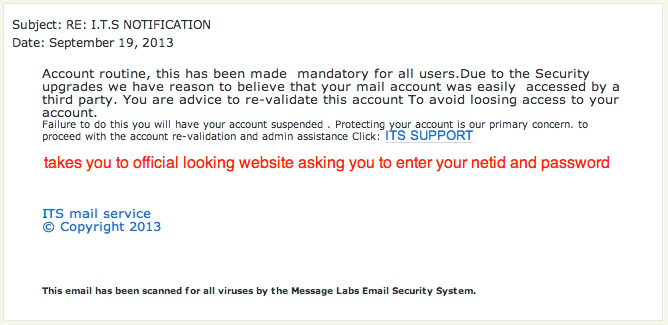 12. AT Notice
13. Account verification notice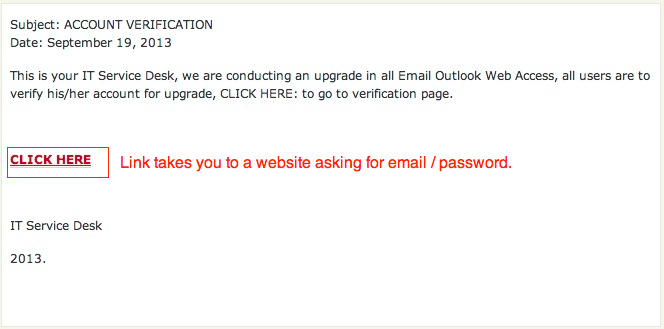 13. Account verification notice
14. Account Cleanup Notice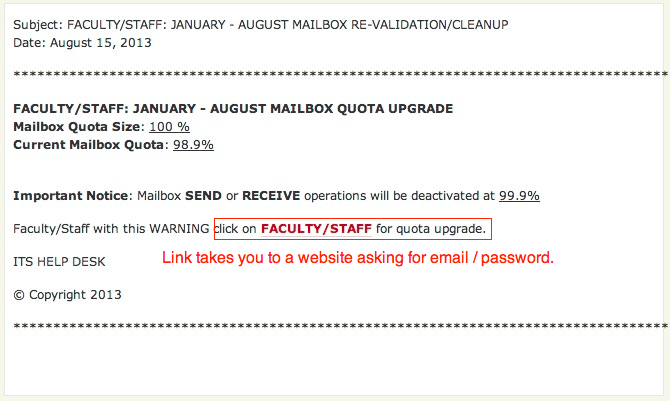 14. Account Cleanup Notice
15. Security Notice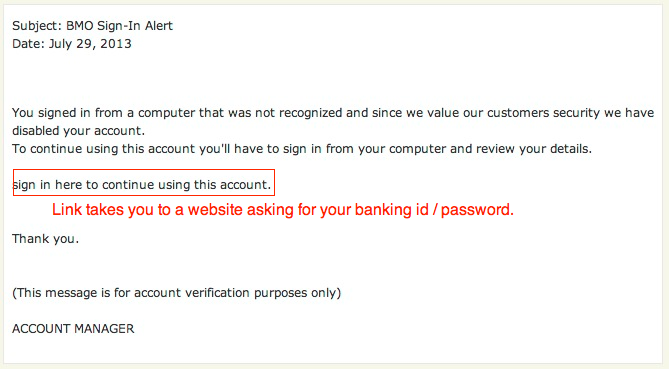 15. Security Notice
16. Tax Refund notice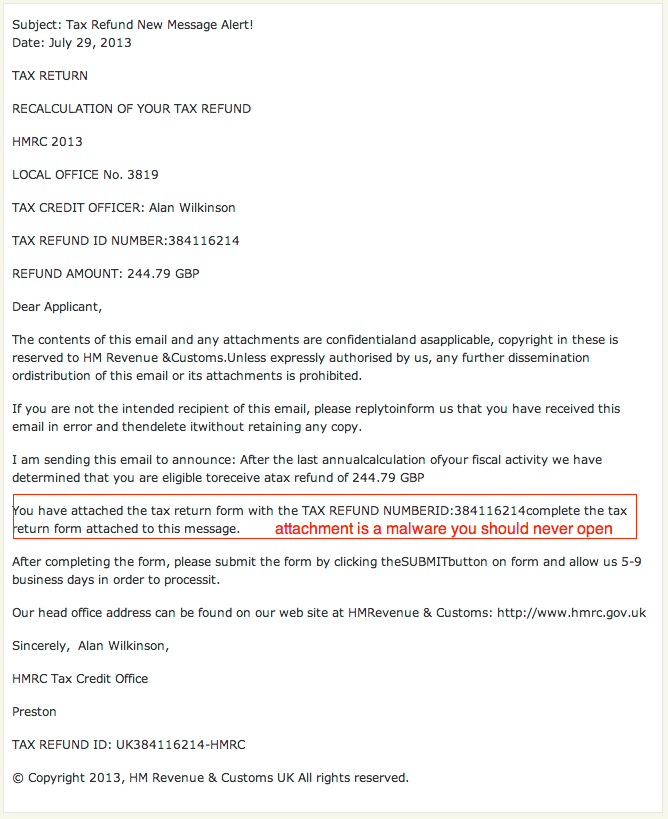 16. Tax Refund notice
17. eFAX Notice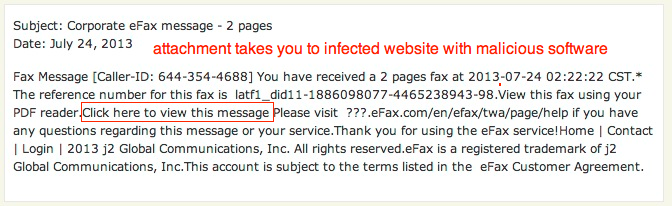 17. eFAX Notice
18. Security Update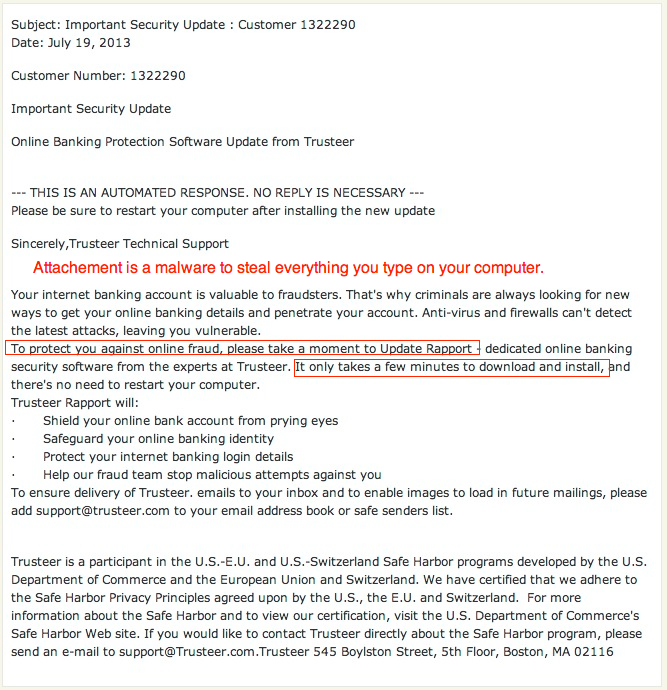 18. Security Update
19. Amazon email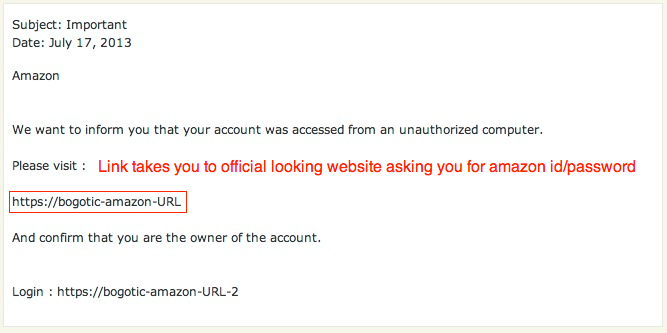 19. Amazon email
20. Account upgrade notice 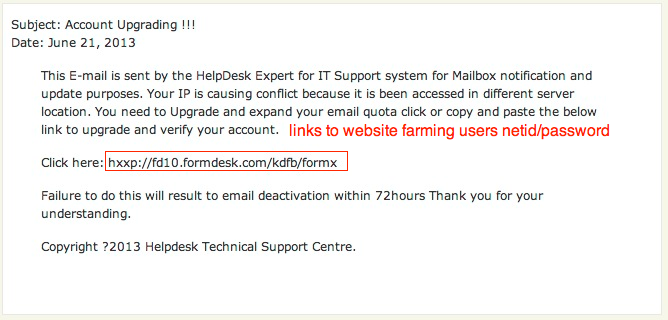 20. Account upgrade notice
21. Scanner Report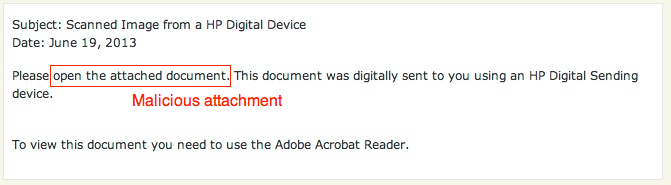 21. Scanner Report
22. IRS Return notice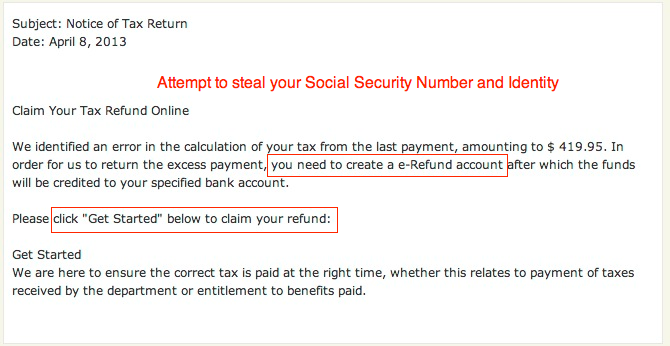 22. IRS Return notice
23. ACH Email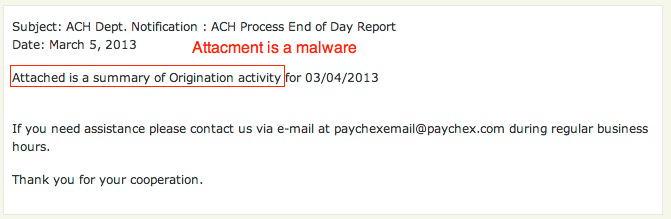 23. ACH Email
24. Goverment Email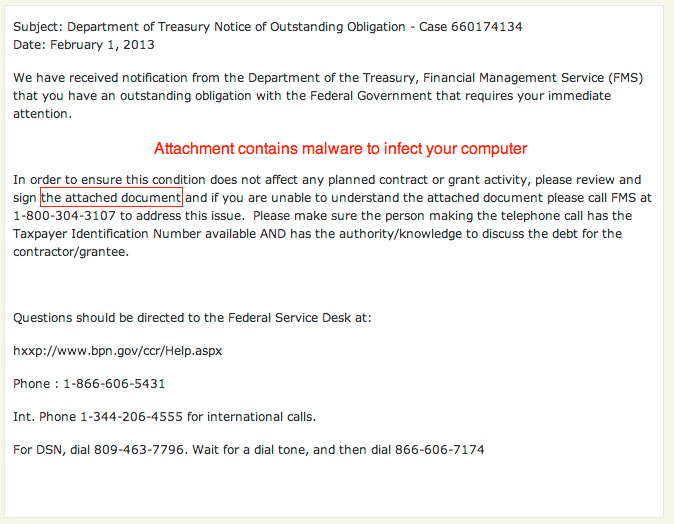 24. Goverment Email
25. LinkIn Email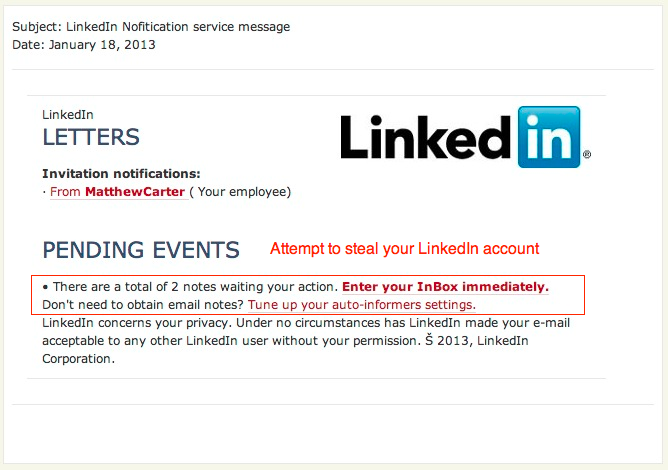 25. LinkIn Email
26. Banking Notice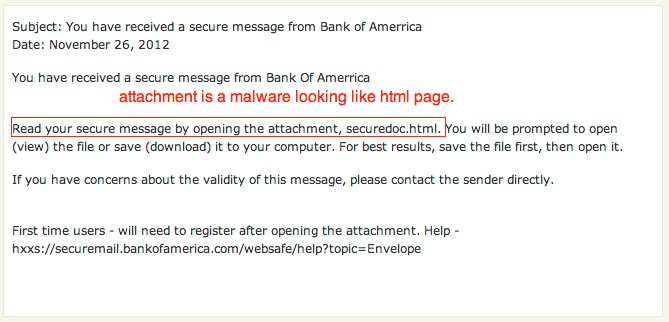 26. Banking Notice
27. USPS Email 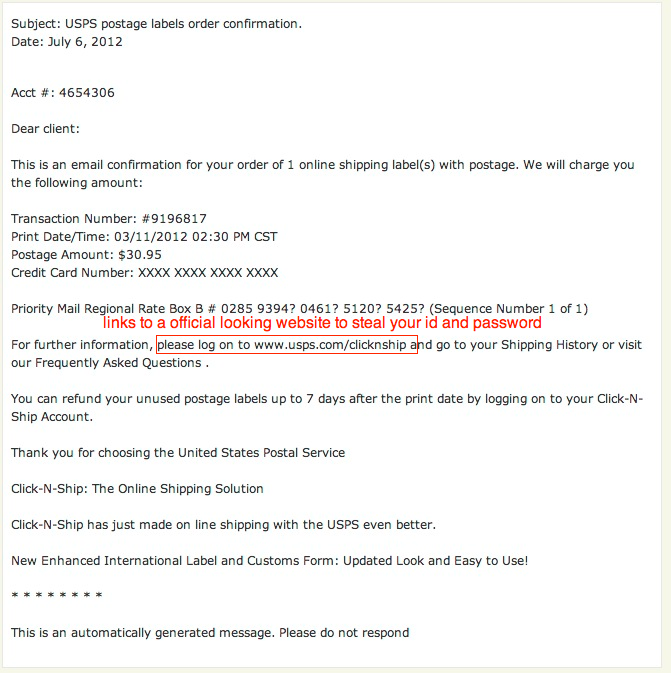 27. USPS Email
28. Bank Security notice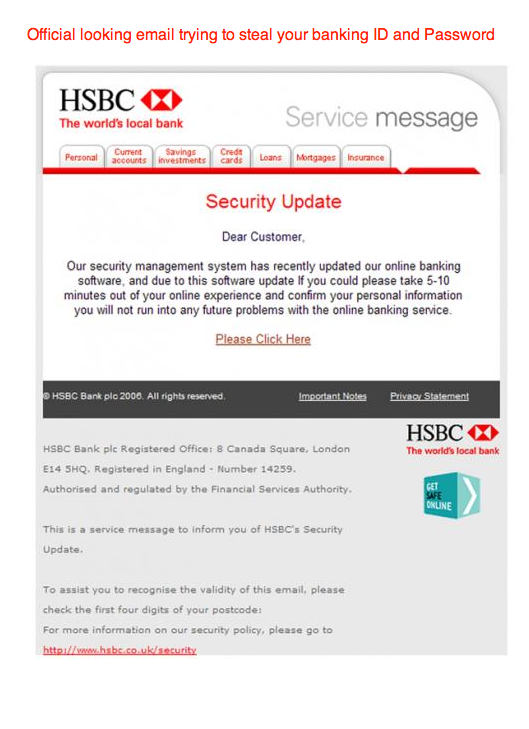 28. Bank Security notice
29. RBS Notice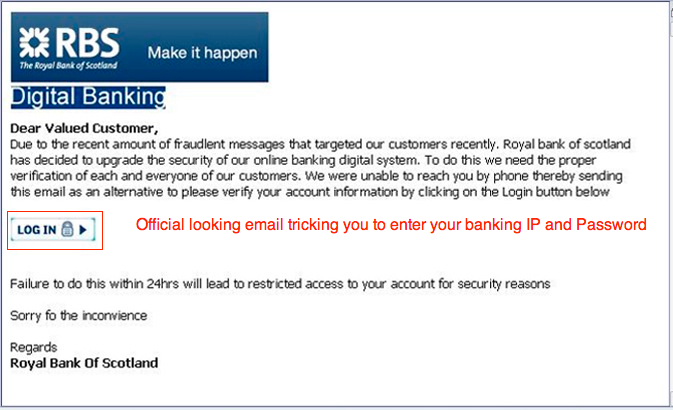 29. RBS Notice
30. IRS Notice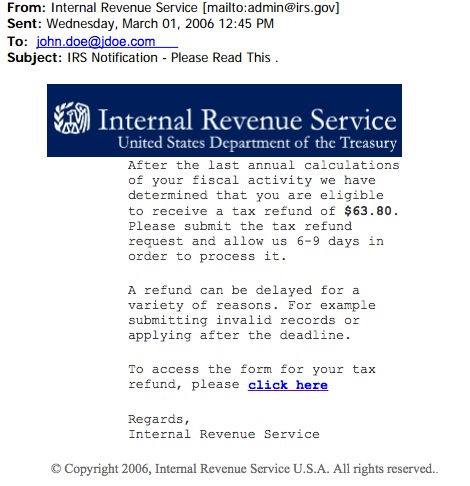 30. IRS Notice
31. IRS Notice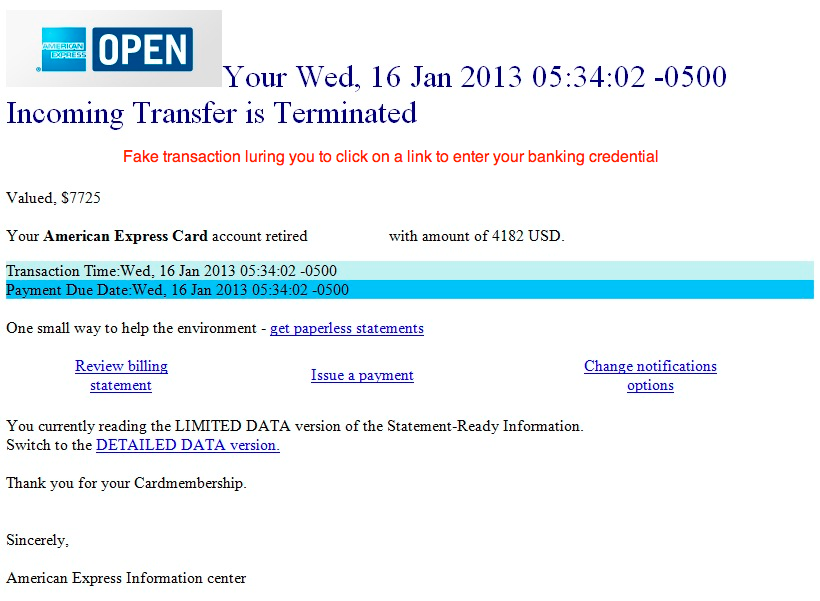 31. IRS Notice
32. Paypal Notice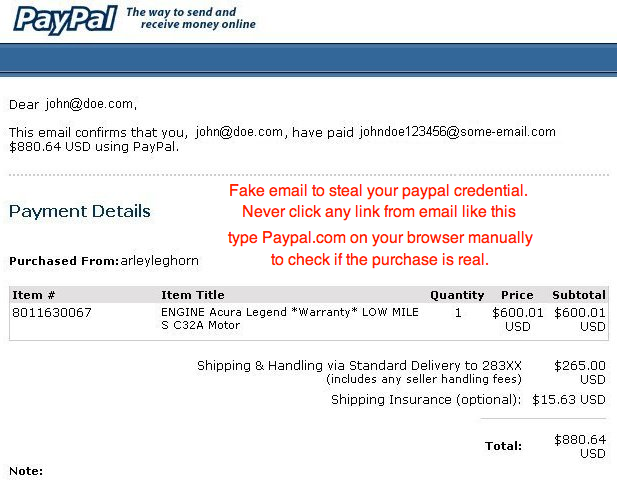 32. Paypal Notice
33. American Express Email33. American Express Email
34. Verizon Email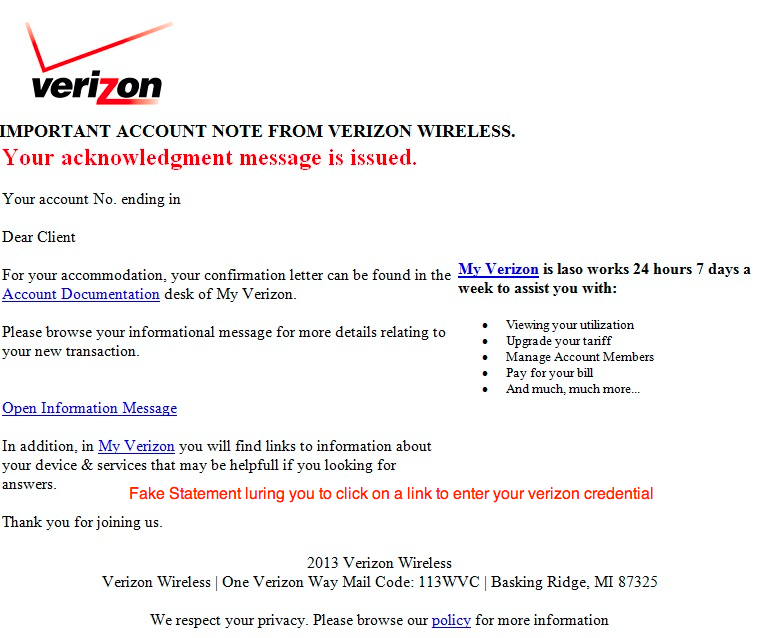 34. Verizon Email
35. PayPal Notice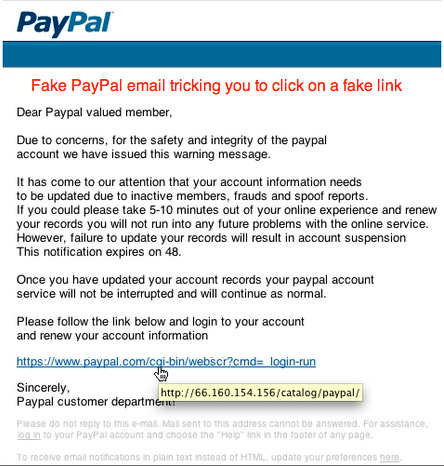 35. PayPal Notice
36. IRS Notice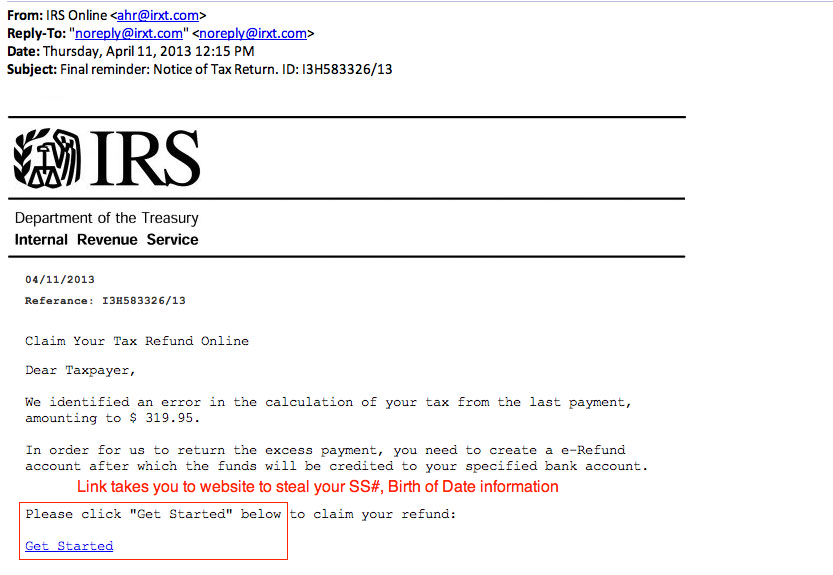 36. IRS Notice
37. BBB Notice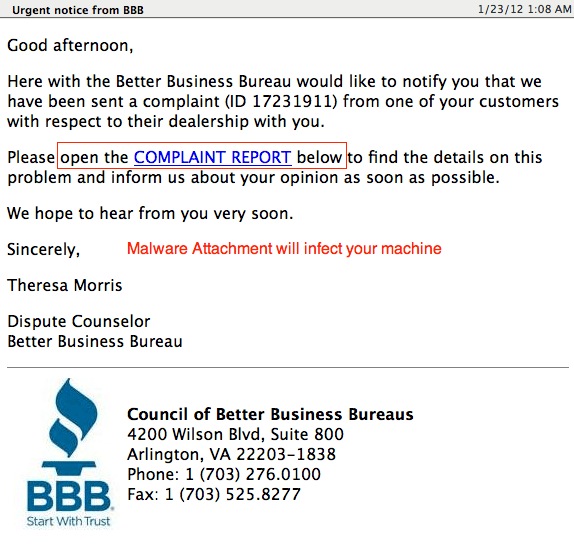 37. BBB Notice
38. ATT Statements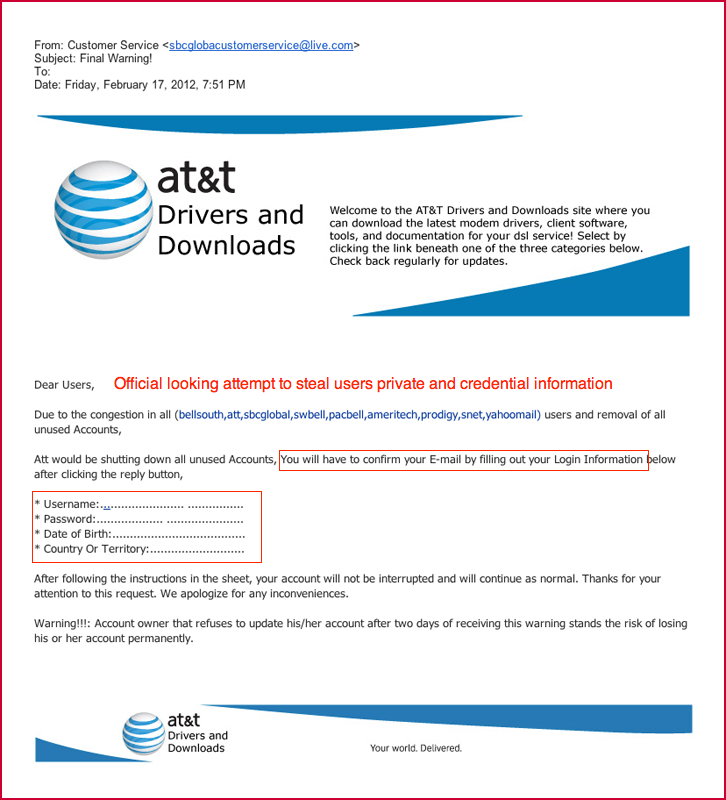 38. ATT Statements
39. ATT Statements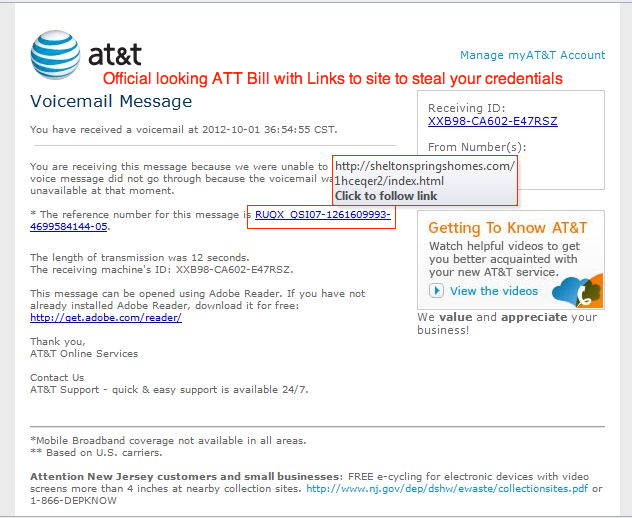 39. ATT Statements
40. Apple Store Gift Card Award 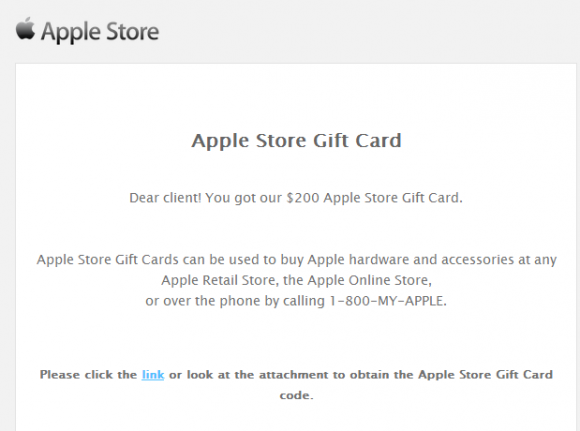 40. Apple Store Gift Card Award
41. Apple Notice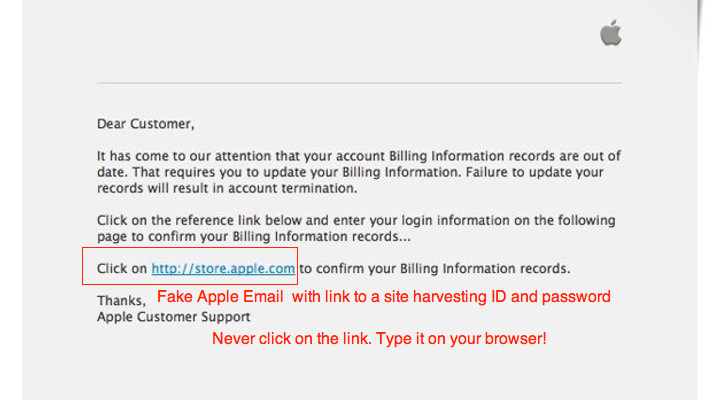 41. Apple Notice
42. Facebook notice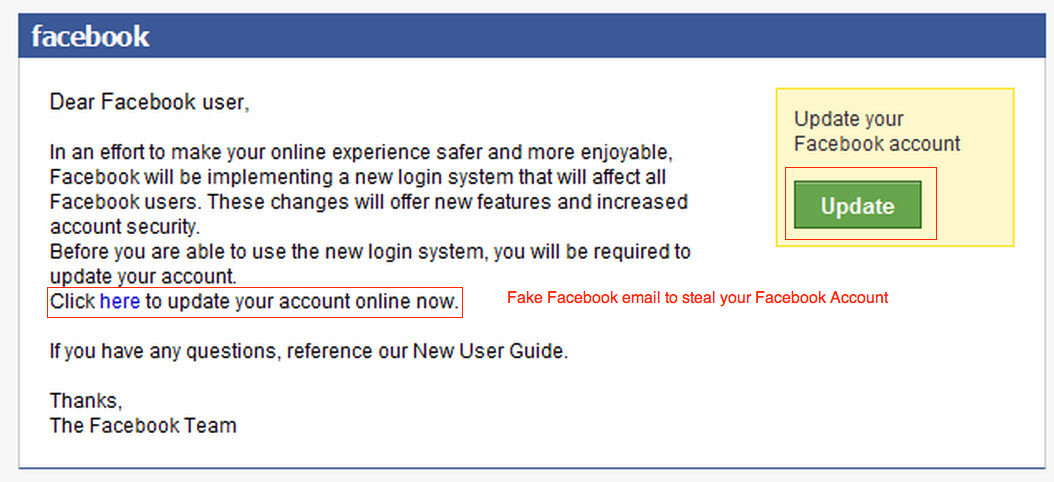 42. Facebook notice
43. Verizon Statements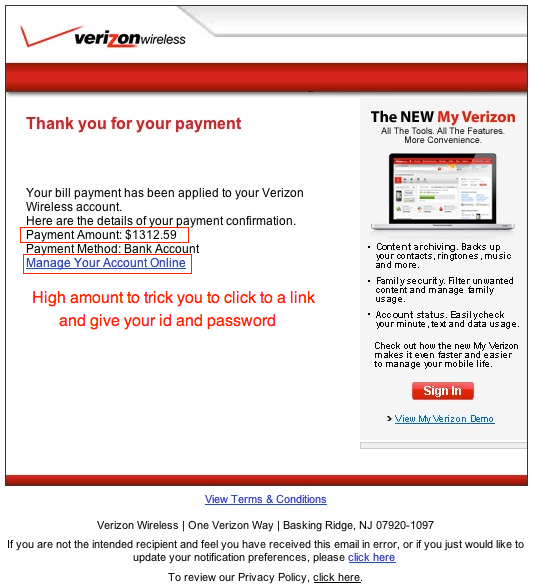 43. Verizon Statements
44. Government notice 44. Government notice
45. Google Notice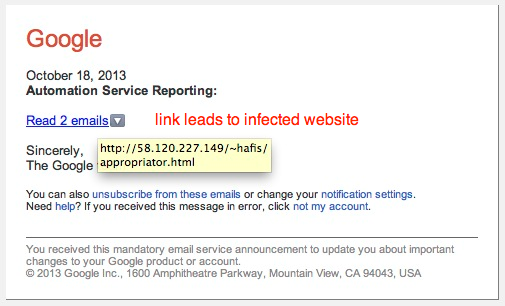 45. Google Notice
46. Wedding Invitation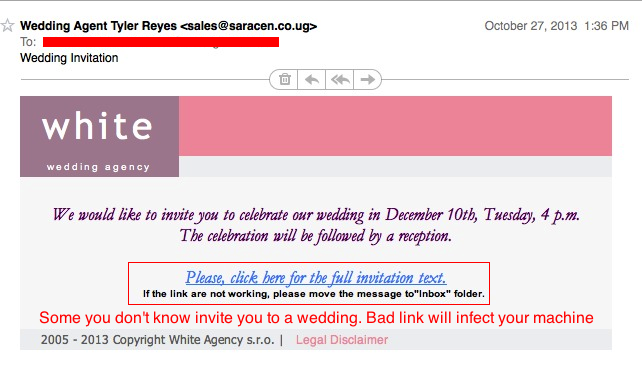 46. Wedding Notice Invitaton
47. Google Docs Notice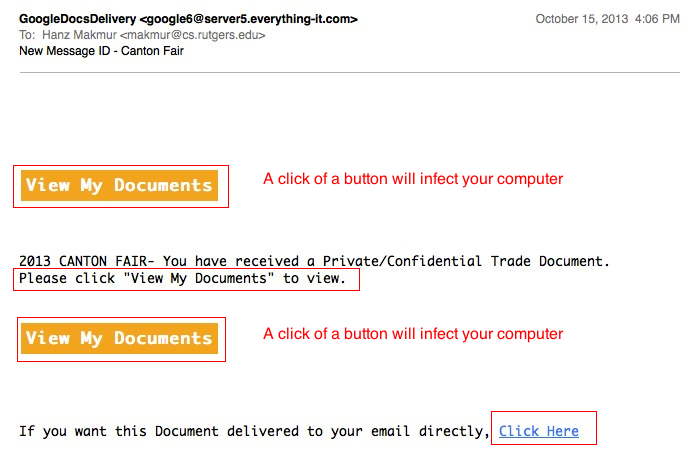 47. Google Docs Notice
48. FedEx Notice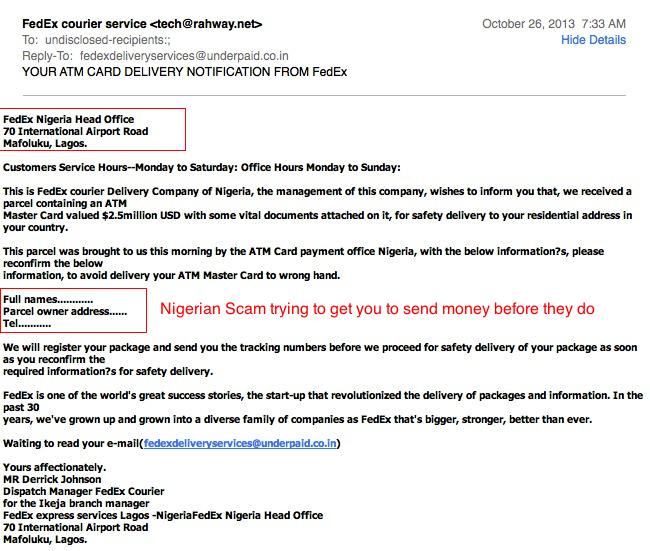 48. FedEx Notice
49. Out of Space Notice 49. Out of Space Notice
Additional Info:
Phishings: Security Issues in Electronic Age
Fighting Against Identity Theft
Information Protection Security
FTC Videos
How Not to Get Hooked by a 'Phishing' Scam
Federal Reserve Frauds and Scams
Job Scam
Reporting Internet Crime Complain Center
More Example of Phishing